

HOW TO UPDATE THE NAVIGATION SYSTEM IN YOUR INFINITI?
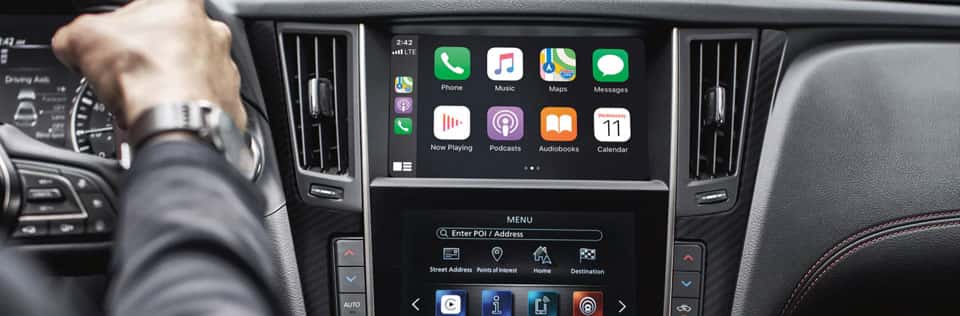
1. Determine Your INFINITI Vehicle’s Navigation System
First, check which navigation system your INFINITI has. Depending on the model and year, INFINITI vehicles come with different types of navigation systems. The process may vary slightly based on whether you have the latest InTouch system or an older NAVTEQ system.
2. Visit the INFINITI Navigation Update Website
Go to the INFINITI Navigation Update website. This is the official website for obtaining map updates for INFINITI vehicles. You’ll need to enter your vehicle’s model, year, and region to find the correct map update.
3. Purchase the Map Update
Once you have selected the correct model and year, you can purchase the update. The update might be available on a USB drive or a downloadable file, depending on your vehicle’s navigation system.
4. Prepare for the Update
If the update is provided via USB:
Download the Update: Follow the instructions to download the map update file onto a USB drive (if it’s a downloadable update).
Ensure Compatibility: Ensure the USB drive is compatible with your vehicle’s navigation system (usually, an empty drive with at least 8 GB of storage).
5. Install the Update
Insert the USB Drive: Turn on your vehicle and insert the USB drive with the map update into the USB port.
Follow On-Screen Prompts: The vehicle’s navigation system will detect the update and display on-screen prompts to guide you through the installation.
Complete the Update: Follow the prompts, and do not turn off the ignition or remove the USB drive until the update is complete. This process can take some time.
6. Verify the Update
After the installation is complete, check the navigation system to ensure that it has been updated successfully. You can usually verify this by checking the map version information in the settings menu of the navigation system.
If you have any questions about updating your INFINITI navigation system, feel free to contact us or visit our INFINITI dealership in Phoenix, AZ.

0 comment(s) so far on HOW TO UPDATE THE NAVIGATION SYSTEM IN YOUR INFINITI?